![Epic River-Kinective-white.png]](https://knowledge.epicriver.com/hs-fs/hubfs/Epic%20River-Kinective-white.png?height=40&name=Epic%20River-Kinective-white.png)
Signotec Signature Pads
The following Signotec signature pad models are supported:
- T-CE1075-2-FT100-B
- ST-CD1075-2-U100
- ST-CE1075-2-U100
How to configure Signotec Signature Pad
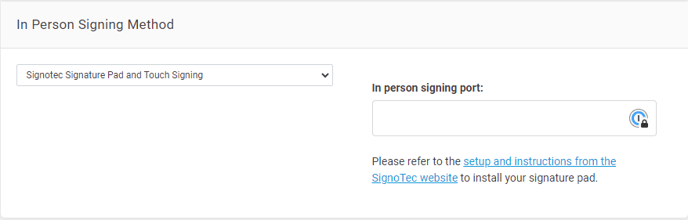
1.) Navigate to Settings -> Signing.
Note: You must have the Configuration Management permission to manage the Signing Setting.
2.) Under the In Person Signing Method section, select Signotec Signature Pad and Touch Signing from the dropdown menu.
3.) Click on the hyperlink: setup and instructions from the Signotec website.
4.) Enter the In person signing port number in the field.
5.) Follow the guide to complete installation.
For any additional assistance, please contact the support team at support@epicriver.com